Beko Induction Hob Troubleshooting Guide

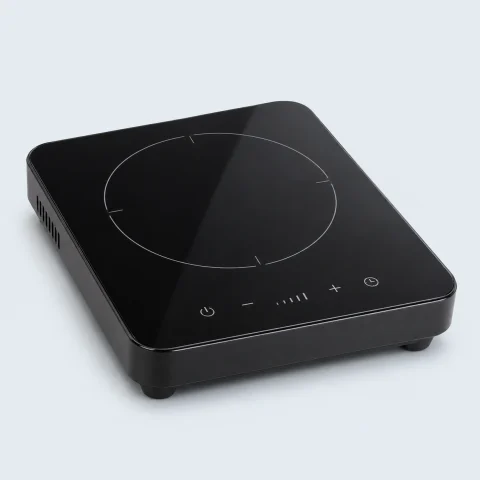
Complete troubleshooting guide for Beko induction hob error codes and common problems. Find step-by-step DIY repair solutions with expert tips. Our comprehensive resource covers all Beko induction hob models.
Quick Stats
General Maintenance Tips
- Clean your Beko Induction Hob regularly.
- Check for specific maintenance requirements in the manual.
- Unplug before servicing.
Official Resources
- General Support: Manuals, Warranty, Register Product, Service...
- General Support: Manuals, Warranty, Register Product, Service...
- General Support: Manuals, Warranty, Register Product, Service...
- General Support: Manuals, Warranty, Register Product, Service...
- General Support: Manuals, Warranty, Service...
All Error Codes (14)
Common Symptoms (1)
Community Insights (4)
Data-driven analysis based on real user experiences across all Induction Hob brands.
Not Heating
Based on 5 discussions
- Faulty wiring (1 mentions)
- Mainboard/module failure (1 mentions)
- Electronic boards or inductor failure (1 mentions)
- Rechecked wiring and fixed the issue.
- Configured the induction hob using a video tutorial.
Limited-source guidance; no statistical success rate View Typical Sources
Damaged
Based on 1 discussions
- Dropped heavy cookware or objects on the hob ( mentions)
- Improper installation leading to stress on the glass ( mentions)
- Thermal shock from sudden temperature changes ( mentions)
- Carefully assess the damage. If the glass is cracked but the unit still powers on, consider a temporary protective cover. For complete breaks, turn off the power and replace the glass top. This requires removing the induction hob from the counter, detaching the damaged glass, and installing a new one.
- If the hob is still under warranty, contact the manufacturer for a replacement or repair. Document the damage and provide proof of purchase.
Limited-source guidance; no statistical success rate View Typical Sources
Data compiled from real discussions:
Not Functioning
Based on 2 discussions
- Power supply issue (circuit breaker tripped or blown fuse) (100 mentions)
- Faulty control board or touch panel (80 mentions)
- Overheating protection activated (due to excessive heat or cookware issue) (60 mentions)
- Check the power supply: Ensure the induction hob is plugged in, check the circuit breaker and reset if necessary. If the hob is hardwired, inspect the fuse box for blown fuses.
- Reset the induction hob: Turn off the cooktop, unplug it for a minute, then plug it back in and turn it on.
Limited-source guidance; no statistical success rate View Typical Sources
Data compiled from real discussions:
Beeping And Flickering Display
Based on 1 discussions
- Overheating due to prolonged use or blocked ventilation ( mentions)
- Incompatible cookware that is not induction-compatible ( mentions)
- Faulty control board or internal wiring issues ( mentions)
- Ensure proper ventilation by checking for obstructions around the hob. Allow the hob to cool down before using it again.
- Verify that the cookware used is compatible with induction cooking. Look for the induction symbol on the base of the pots and pans.
Limited-source guidance; no statistical success rate View Typical Sources
Data compiled from real discussions:
Top Questions from Community
Q: Beko induction hob not recogniting pots and pans
A: The same problem, any can give some info !?
Q: Electric stove emit odor
A: First thing I'd look at is the terminal block thats on the lower middle of the backside. Chances are L1 or L2 melted apart. That's good though because electrical things are not designed to burn. They ...